By Jiusion | 22 November 2023 | 0 Comments
Android Issues and Solution
If you encounter trouble on Android devices with our Jiusion USB microscope device, please read it carefully and contact us according to the situation:
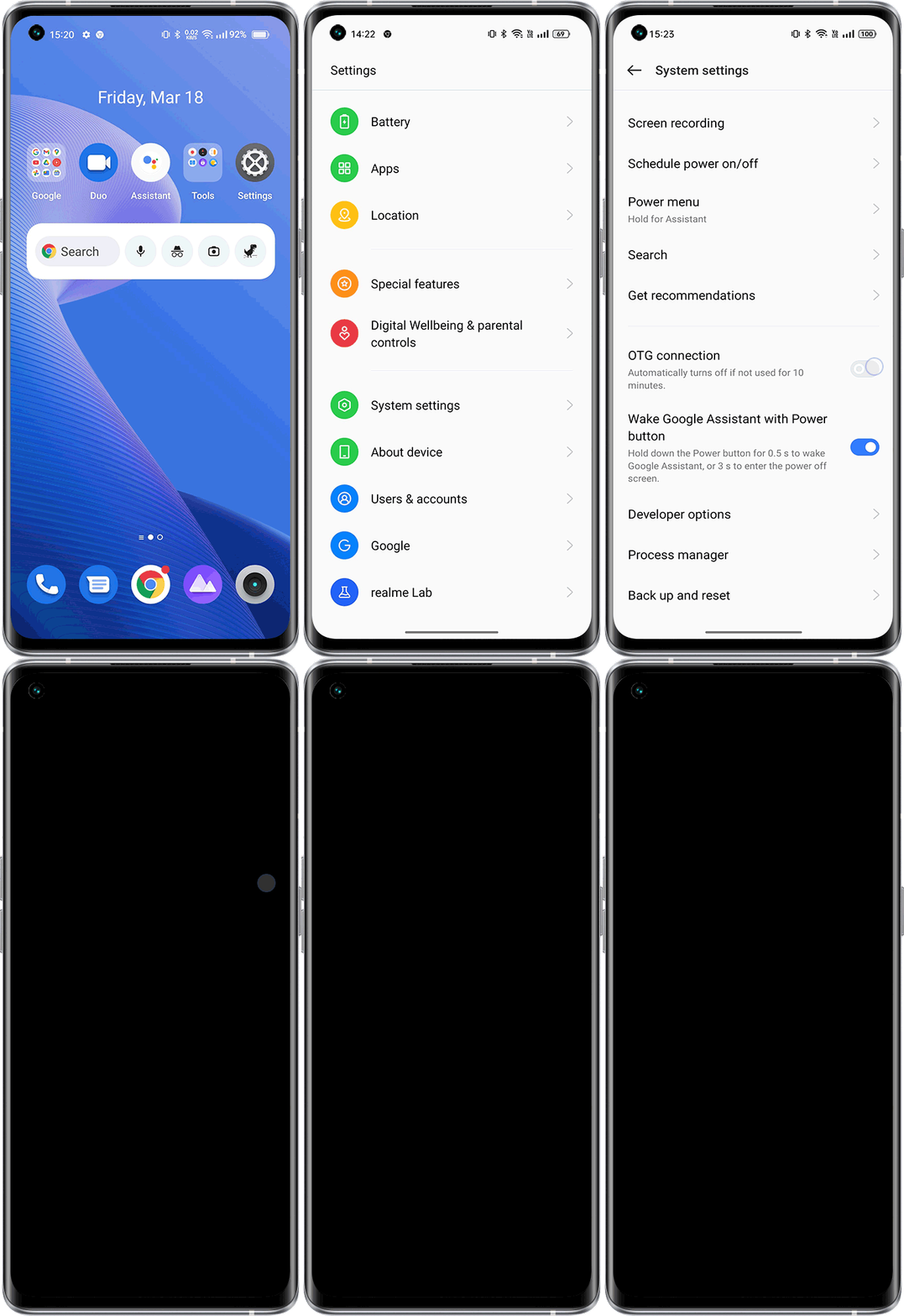
①Oppo, Vivo, Oneplus and Realme users please enable OTG in phone's Settings first.
Settings > Search "OTG" >Enable OTG
Settings - Additional settings - OTG connection
Settings - Network and Other Connections - OTG
Settings - Bluetooth and Other Devices - OTG
Settings - System - OTG storage
②Remove the phone case if it has.
③Make sure the microscope LED is on.

④Make sure you connected the USB c adapter to the microscope USB plug in a correct way.

Right click on the picture to open it and see the original size.
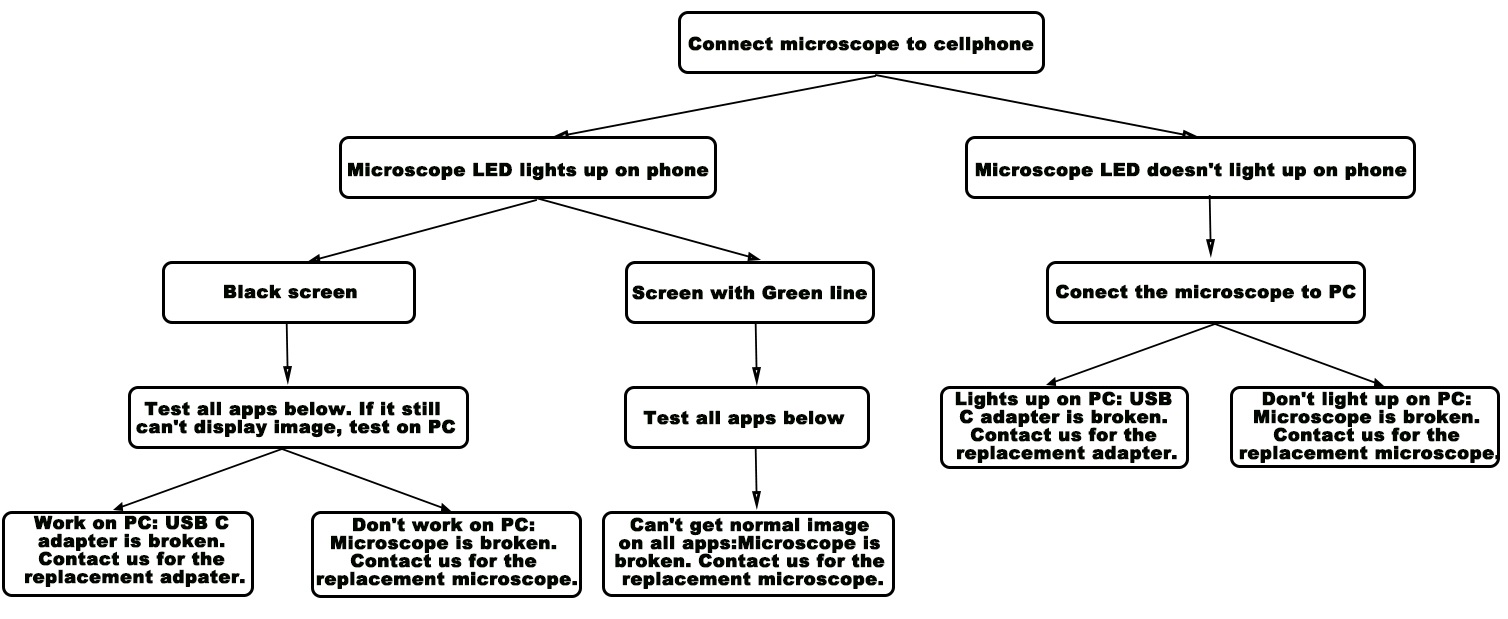
Some apps that compatible with Jiusion USB microscope:
USB Camera by Shenyao
https://play.google.com/store/apps/details?id=com.shenyaocn.android.usbcamera
USB Camera by Shenzhen wxl technology limit
https://play.google.com/store/apps/details?id=com.tony.usbcamera.molink
Color Borescope Endoscope
https://play.google.com/store/apps/details?id=com.usbotg.usa5
MScopes for USB Camera / Webcam
https://play.google.com/store/apps/details?id=com.zyepro.mobilescopes
xploview USB
https://play.google.com/store/apps/details?id=com.xploview.xploviewusb
Cause the system won't notice us the blog got a comment, if you have any questions, please contact us directly. Our email is: jiusion@outlook.com
①Oppo, Vivo, Oneplus and Realme users please enable OTG in phone's Settings first.
Settings > Search "OTG" >Enable OTG
Settings - Additional settings - OTG connection
Settings - Network and Other Connections - OTG
Settings - Bluetooth and Other Devices - OTG
Settings - System - OTG storage
②Remove the phone case if it has.
③Make sure the microscope LED is on.

④Make sure you connected the USB c adapter to the microscope USB plug in a correct way.

Right click on the picture to open it and see the original size.
Some apps that compatible with Jiusion USB microscope:
USB Camera by Shenyao
https://play.google.com/store/apps/details?id=com.shenyaocn.android.usbcamera
USB Camera by Shenzhen wxl technology limit
https://play.google.com/store/apps/details?id=com.tony.usbcamera.molink
Color Borescope Endoscope
https://play.google.com/store/apps/details?id=com.usbotg.usa5
MScopes for USB Camera / Webcam
https://play.google.com/store/apps/details?id=com.zyepro.mobilescopes
xploview USB
https://play.google.com/store/apps/details?id=com.xploview.xploviewusb
Cause the system won't notice us the blog got a comment, if you have any questions, please contact us directly. Our email is: jiusion@outlook.com
Leave a Reply
Your email address will not be published.Required fields are marked. *